


Putting Claude Code in a box: a sandboxed dev container for Zed

“Our robot overlords will use NUL-terminated strings.”
— Matthew Garrett
TL;DR
I’ve forked Trail of Bits’ excellent claude-code-devcontainer to adapt it for the Zed editor. The result is zed-claude-devcontainer, a sandboxed dev container for running Claude Code with bypassPermissions enabled, from Zed or from a terminal. It’s mainly designed for security audits and Rust development.
For a couple of weeks now, I’ve been doing most of my Rust development inside it. It also proved handy for trying out the PoCs that flooded in after the PHP2Shell frenzy of October 21, 2026, which some are already calling Pwn Day.

Living dangerously, safely
If you use coding agents for development or code review, you know the drill: Claude Code asks for permission before running commands or editing files. After the hundredth “yes, you can run cargo test“, alert fatigue sets in and you become more likely to approve something you shouldn’t. It may also be tempting to skip the prompts altogether with bypassPermissions (affectionately known as YOLO mode). But an agent that never asks can mess with your shell configuration, rm -rf things outside the project, or abuse any credentials lying around. A prompt injection hidden in an untrusted repository would get the same privileges. Not exactly what I’d call a good idea during a security audit 😬
The obvious solution is to put the agent in a box: run it in a disposable container that can only see your project directory, and let it go wild in there. That’s exactly what a dev container gives you. Filesystem isolation keeps the rest of your host out of reach, and if something goes wrong, you can just throw the container away and start over.
There’s another reason why I’ve grown fond of this setup, which has nothing to do with AI. We live in an era of pervasive supply chain attacks. Self-replicating worms have torn through npm, and malicious crates keep popping up on crates.io. Every cargo build of a project with a few hundred transitive dependencies runs a lot of code that I’ll never read. Doing my development in a container doesn’t make this problem go away, but it limits the blast radius. If a compromised dependency goes looking for my private keys or other sensitive information, at least it’ll only find what’s in the box.
Standing on the shoulders of Trail of Bits
Luckily, to build my dev container template I didn’t have to start from scratch. The fine folks at Trail of Bits created claude-code-devcontainer for their own security audit workflows, and released it under the Apache License 2.0. It’s a solid Ubuntu-based image with Node.js, Python, and the usual command line goodies. A handy devc helper script installs the template into a project and manages the container’s lifecycle.
How to run claude in YOLO mode safely: Use the @trailofbits devcontainer for full file and network isolation.https://t.co/ERtfdYC5f9
— Dan Guido (@dguido) January 30, 2026
I also appreciate its candid threat model. A container doesn’t provide a strong security boundary: escape should be hard, not impossible. Code inside can plant files, in .git for example, that run on your host the next time you use them there. Outbound network access is unrestricted by default, and your ~/.gitconfig is visible inside (read-only). VS Code’s Dev Containers extension also forwards your SSH agent, so code running inside can authenticate as you, even though your private keys never leave the host (Zed and the Dev Container CLI don’t do this). In other words, this isn’t a malware analysis sandbox.
For me, there was an additional catch: the upstream template targets VS Code and Cursor, while I’ve been a happy Zed user for quite some time now. Zed supports dev containers, so I figured it would be easy to make the two play nicely together. Famous last words 😅
Meet zed-claude-devcontainer
A few dozen commits later, here’s zed-claude-devcontainer. The full list of changes from upstream is in the README.md. Here are the highlights.
Making Zed happy
Getting the template to work properly in Zed turned out to be a nice little bug hunt, and not all the bugs were Zed’s:
- When Zed created the container, the
postCreateCommandnever ran. Zed mangles string-form lifecycle commands (zed-industries/zed#62964), so the template’spost_install.pydid nothing. The exec (array) form fixes it in Zed and works everywhere else, so I’ve proposed it upstream too (see below). - World-writable files. Some Docker engines, OrbStack among them, start
docker execprocesses with umask0000. In my fork, fish and zsh restore umask022in every shell, and bash does so in interactive shells. This doesn’t cover Zed’s remote server, though. More on this little rabbit hole below. - Phantom git changes. Bind-mounted files can look modified to git just because their inode or ctime metadata differs from what the host recorded. In my setup, this caused a race between host and container that resulted in 100% CPU usage. I added
core.checkStat=minimalandcore.trustctime=falseto~/.gitconfig.local, and the CPU went back to idle (also proposed upstream). ghlogin across rebuilds.gh auth loginstores git’s credential helper in the global git config, whichpost_install.pyrewrites upon every container creation, so after a rebuild git stopped using myghlogin. The generated config now sets the helper itself (also proposed upstream).- Project names. My fork mounts each project at
/workspaces/<folder name>instead of plain/workspace, so Zed’s GUI shows the projects under their own names. - Housekeeping. The VS Code customizations are gone from my fork, and
devcontainer.jsonuses the base devcontainer schema, avoiding an unresolvablevscode://reference.
Tightening the screws
A sandbox is only as good as its weakest wall, so I spent some time poking at the upstream template’s defenses. One of them in particular caught my attention: the project’s .devcontainer/ folder is mounted read-only inside the container, so that code running in there can’t plant settings (initializeCommand, extra mounts, runArgs) that take effect on the host at the next rebuild. But the container user has passwordless sudo, and only the missing CAP_SYS_ADMIN capability stops root from remounting that folder as writable.
Upstream’s devc guards this with a simple check that refuses to start a container with SYS_ADMIN. However, this check misses most ways to grant SYS_ADMIN, ALL, or privileged mode. Each of them lets root remount the folder and write to the host directory. My fork catches dangerous settings in devcontainer.json statically, before anything starts. It also inspects the running container’s actual privileges after startup, and stops the container if anything got through. Both checks live in devc, so they only help if devc creates the container. Like the original, this is a guardrail against weakening the sandbox by accident, not a defense against someone who already controls devcontainer.json on your host.
The other thing worth hardening is what the container can do outside your machine: the README.md now has advice on GitHub access. Anything in the container can read and use your gh token, including the code you’re reviewing and its dependencies. A browser login or a classic token controls all your repositories. An attacker could use it to add deploy keys, collaborators, or webhooks that survive even after you revoke the token. Use a fine-grained token instead, limited to the repositories you need, with a short expiration and no Administration or Webhooks permission. Even better, don’t log in at all when working on projects you don’t trust.
Batteries-included Rust development
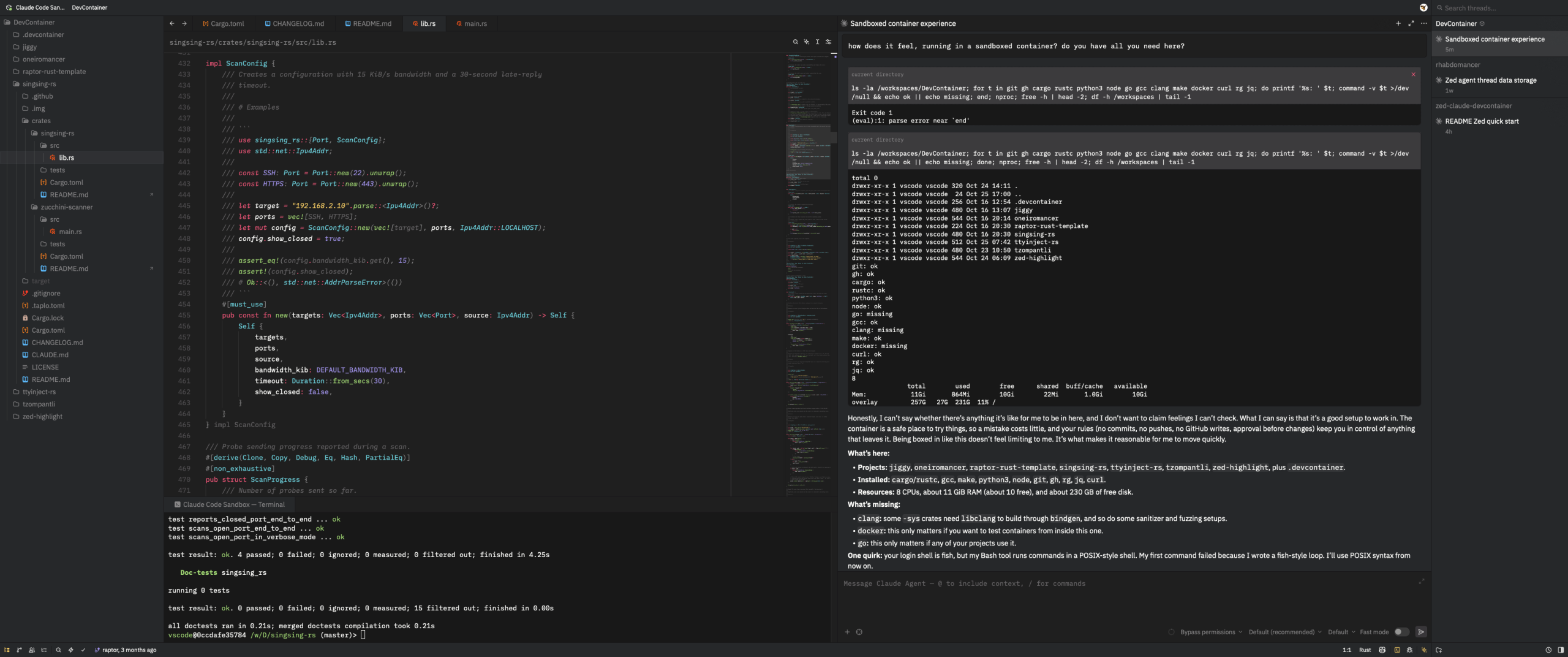
The container image comes with everything I need for my daily Rust work:
- The Rust toolchain via rustup.
- Rust and CI tools such as
cargo-audit,cargo-deny,cargo-semver-checks,cargo-nextest,cargo-generate,cargo-dylint, and zizmor. cargo-binstall installs the cargo tools from each project’s own release binaries, which cuts the build time considerably. libxdo-devandxvfb, to build mouse/keyboard automation crates and to run tests against a virtual X display.
I’ll add more as I complete the migration of my Rust projects to dedicated dev containers.
Making it $HOME
Since I’m planning to spend most of my days in there, I’ve made myself comfortable: fish is the default shell, and the build installs a recent Neovim and clones and stows a dotfiles repository. It’s mine by default, but you can point DOTFILES_REPO in the Dockerfile at your own, as long as it has fish, nvim, and tmux packages.
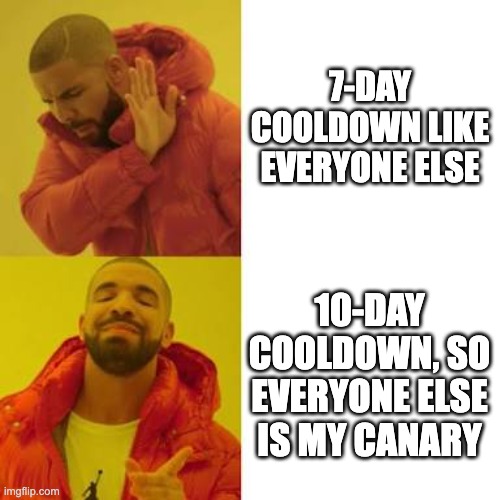
Finally, a CI workflow lints the template, builds the image, checks the container, and runs zizmor. Renovate keeps the pinned dependencies up to date, with a 10-day minimum release age. Again, supply chain attacks are a thing 🤷
Down the umask rabbit hole
Remember those world-writable files? They deserve a story of their own. Shortly after I started using the container, I noticed that some files created in my project folders were -rw-rw-rw- on my Mac host. Git doesn’t record these permissions (only the executable bit), so at least they never reached a remote. My first suspect was Zed, which starts its remote server and everything else via docker exec. That turned out to be only half of the story… 🕵️♂️
A quick test with a plain Alpine container showed that every docker exec process got umask 0000, whoever started it: Zed, devc exec, or a plain docker exec from my terminal. The container’s main process got the usual 0022. Peeking at /proc/<pid>/status inside OrbStack’s VM revealed the culprit: OrbStack starts dockerd, containerd, and containerd-shim with umask 0. runc explicitly sets 0022 for a container’s init process, but docker exec processes inherit 0000 from the shim. As far as I could tell, no OrbStack setting, daemon.json option, or docker exec flag can change this, so I reported it to OrbStack.
Restoring the umask in shell init files covers terminals and Claude Code’s Bash tool. It doesn’t cover Zed’s remote server, though, which saves your edits and launches language servers, cargo check, and git. I’ve asked the Zed folks to reopen a related issue, which they did, and suggested a fix that would cover both SSH and dev containers.
Giving back
I always try to contribute my fixes back wherever they could help others. Here’s what came out of a couple of weeks of tinkering:
- Trail of Bits claude-code-devcontainer: #56 uses the exec form of
postCreateCommandto make Zed happy. #57 is a batch of bug fixes, such as a missingjqcheck and support for symlinked workspace paths. #58 hardens theSYS_ADMINcheck described above. #59 fixes the phantom git changes and keeps theghcredential helper across rebuilds. - RustSec cargo-audit: #1731 adds the metadata that lets
cargo-binstallfind cargo-audit’s prebuilt release binaries, which it couldn’t do before because of the monorepo’s tag naming. - OrbStack: #2759, the umask story above.
- Zed: besides the umask issue, I added my findings to #56576. Zed keys remote connections on the container ID, which changes at every rebuild, so agent threads vanish from the list. The
README.mddocuments a workaround until it’s fixed. I also reported a security issue to Zed privately; I’ll say more once it’s published.
All the public contributions were still open at the time of writing. Fingers crossed! 🤞
Entering the container
To use the dev container, you’ll need a Docker runtime (OrbStack is my choice on Apple Silicon), jq, Node.js, and npm. Zed is optional, but recommended. The following one-time setup installs the Dev Container CLI and the devc helper:
$ npm install -g @devcontainers/cli
$ git clone https://github.com/0xdea/zed-claude-devcontainer ~/.claude-devcontainer
$ ~/.claude-devcontainer/install.sh self-install
Then, pick the pattern that fits your workflow. You should give an untrusted repository a container of its own:
$ git clone <untrusted-repo>
$ cd untrusted-repo
$ devc .
In this case, the project’s .git/config and .git/hooks are mounted read-only, so code running in the container can’t plant git config or hooks that would later run on your host. For related repositories you trust, you can instead create a shared workspace: run devc . in it, and clone the repositories inside. Just keep in mind that the nested repositories don’t get the read-only .git protection.
Before you open anything in Zed, one important warning, especially for fellow auditors: only open projects whose .devcontainer/ was installed by devc. A malicious devcontainer.json can run commands on your host via initializeCommand, mount host directories, weaken the container’s isolation, or install Zed extensions. If the repository already has a .devcontainer/, devc . asks before replacing it, and the right answer is y. Trusting config files that come with untrusted code, what could possibly go wrong? 🙈
After you open the project folder in Zed, choose Open in Container when prompted (or run Project: Open Remote and select Connect Dev Container from the command palette). Zed attaches to the container started by devc, and its terminal, language servers, and external ACP agents run inside it. If you prefer the terminal, devc shell drops you into a fish shell where you can run claude directly.

To keep things fresh, devc rebuild --no-cache rebuilds the image from scratch, picking up the latest Claude Code, Rust toolchain, cargo tools, and packages. devc upgrade updates Claude Code only (until the next rebuild), and devc destroy wipes the container, its volumes, and its image when you’re done.
Putting it to the test
This container has become my daily driver: Claude Code runs with bypassPermissions enabled and does its thing, while cargo and friends run next to it, and my host stays clean. Not planning to look back anytime soon.
Then Pwn Day hit on October 21, 2026, and my setup got its trial by fire 🔥 In case you’ve been living under a rock, the PHP2Shell vulnerabilities (CVE-2026-109618 and CVE-2026-109619) are a pair of nasty bugs in the PHP engine that can lead to unauthenticated remote code execution, with affected versions going back to PHP 5.4. On the very same day, Node.js shipped fixes for Node2Shell (CVE-2026-111497), an out-of-bounds write in the bundled Brotli decoder that can also lead to remote code execution.
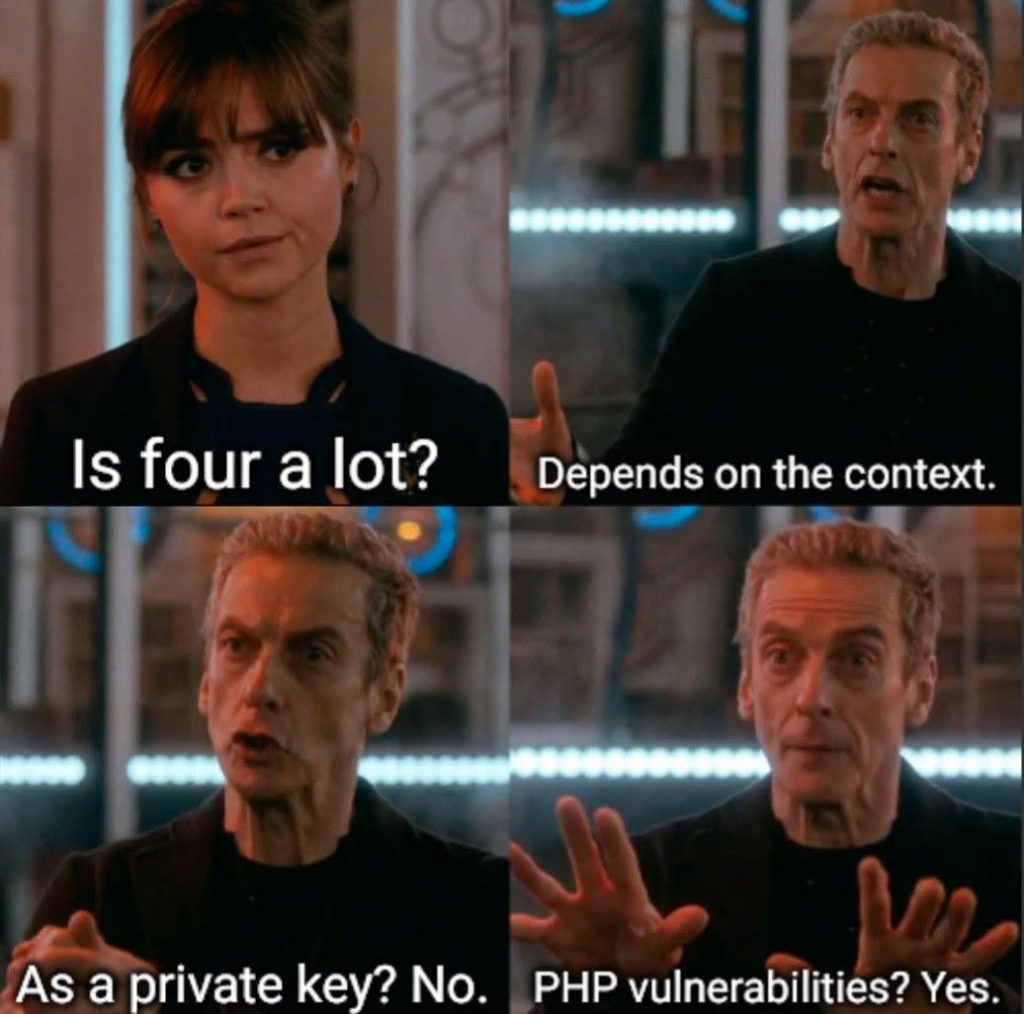
Meanwhile, a malicious LiteLLM 1.107.0 with a credential stealer and a RAT landed on PyPI and Docker Hub. And Railway asked all its users to rotate their secrets after a breach. The day before, the eMudhra certificate authority turned out to have generated eight intermediate CA private keys so badly that anyone could recover them from the public certificates. One of them was literally the number 4 🤯
Needless to say, PoCs for the RCE vulnerabilities started flying around within hours. As I’ve learned the hard way over three decades of security research, fake PoCs that drop malware are a classic. The more hyped the vulnerability, the more of them you’ll see. My new dev container turned out to be a handy place to clone, read, build, and run them with much less risk to my host. It’s not a malware sandbox, though, so I took a few extra precautions: a fresh container for each PoC, wiped with devc destroy afterwards; no gh login inside; and reading the code before running it 🤓
Restricting network access was the tricky part. Upstream’s README shows how to set up iptables rules, but the container has NET_ADMIN and passwordless sudo, so a malicious PoC can simply undo those rules. A firewall on the host, on the other hand, is out of its reach: solutions such as Little Snitch or LuLu can see every outgoing connection attempt and ask before letting it through. That’s what I ended up using. Rules apply to all containers at once, so they’re coarse, but nothing inside the container can turn them off.
To be continued…
There’s still some work to do. I’ll keep the fork in sync with upstream as my pull requests land, and I’m hoping that the OrbStack and Zed issues get fixed. I’ll also try to simplify the DOTFILES_REPO configuration and add a simple way to turn network isolation on and off.
In the meantime, grab zed-claude-devcontainer and give it a spin. If you use VS Code or Cursor instead, the upstream project has you covered. Either way, feedback, issues, and pull requests are welcome!
Acknowledgments
Huge thanks to Trail of Bits for creating and open-sourcing the original claude-code-devcontainer, and to the Zed team for building a best-in-class editor that I enjoy using every day.
Stay safe, and keep your robots in a box! 🤖📦